


A missed refill request. A patient stuck in a scheduling loop. A biller re-keying the same insurance details for the third time this week. None of these problems show up on a demo call — they show up three months after go-live, once patient volume climbs past what spreadsheets and sticky notes can handle.
The right patient management software for virtual clinics fixes this before it becomes a pattern. It’s the operational layer that connects scheduling, intake, e-prescribing, billing, and the video visit itself into one record — so a growing virtual practice doesn’t outgrow its own tools. This guide breaks down what that software actually needs to do, the features worth paying for, and how to evaluate platforms without getting sold on a feature list that looks good in a sales deck but falls apart in daily use.
What Is Patient Management Software for Virtual Clinics?
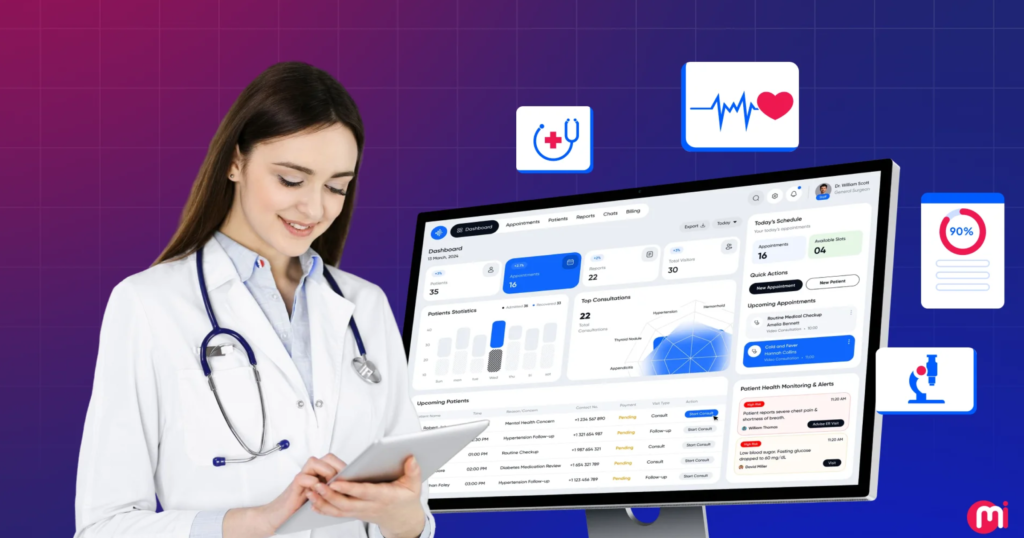
Patient management software for virtual clinics is the system of record that runs the non-clinical side of a telehealth practice: scheduling, patient registration, insurance verification, billing and claims, secure messaging, and reporting. Unlike a standalone video-calling tool, it’s built to hold a patient’s entire administrative journey — from the moment they book an appointment to the moment their claim is paid.
How It Differs From a Traditional EHR
An electronic health record (EHR) stores clinical data — diagnoses, medications, lab results, visit notes. Patient management software sits alongside it and handles the logistics: who’s booked in, whether their insurance is verified, whether their co-pay was collected, and whether their reminder went out. Many virtual clinics run both together, either as separate systems that sync through an API or as one unified platform, which is increasingly the more efficient route for smaller and mid-sized practices.
Why Virtual Clinics Can’t Run on Generic Scheduling Tools

Virtual care has moved well past its pandemic-era spike into a sustained growth phase, and the software layer underneath it is scaling just as fast.
- The global telehealth market reached an estimated $191.88 billion in 2026, up from $153.84 billion the year before, with the software-platform segment growing faster than services.
- In the U.S., the telehealth market is projected to climb from $65.35 billion in 2026 to roughly $447.69 billion by 2035, a compound annual growth rate near 24%.
- Mental health alone accounts for 68.9% of U.S. telehealth claim lines — a signal that virtual clinics are handling higher, steadier patient volume than many assume.
- Missed appointments still cost practices an average of $196 per no-show, and automated multi-channel reminders have been shown to cut no-show rates by roughly 30–60%.
A generic booking widget or a spreadsheet-based intake process wasn’t built to absorb that — purpose-built patient management software was.
There’s also a compliance dimension driving this shift. Regulations under HIPAA and its HITECH Act amendments shape how patient data has to be stored, transmitted, and accessed, and enforcement has only tightened as more care moves online. Patient expectations have shifted at the same time: survey data from Deloitte found that roughly 44% of U.S. adults had completed a virtual visit in the prior twelve months, and about 94% said they would do it again.
Must-Have Features in Patient Management Software for Virtual Clinics
1. Centralized Scheduling With No-Show Controls
Multi-provider calendars, waitlist automation, and rules-based double-booking prevention are baseline requirements. Automated SMS, email, and voice reminders pay for themselves many times over in recovered visit revenue.
2. Digital Intake and E-Registration
Patients should complete demographics, consent forms, and medical history before the visit, not during it. Pre-visit digital intake lowers no-show rates on top of what reminders alone achieve — a patient who has already invested a few minutes in the process is more likely to follow through.
3. Insurance Verification and Billing
Real-time eligibility checks, co-pay collection at booking, and claims submission that doesn’t require re-entering data the front desk already captured. For virtual clinics operating across multiple states, this also needs to handle payer rules that vary by geography.
4. Native Telehealth Integration
The video visit should launch from inside the patient record — not a separate app the patient has to download and the provider has to tab over to. Fragmented tools are one of the most common reasons virtual clinics see patient drop-off between booking and the actual visit.
5. Secure Messaging and a Patient Portal
Two-way messaging for prescription refill requests, lab result follow-up, and appointment changes reduces phone volume significantly and gives patients a channel that doesn’t require a live call.
6. EHR and Lab Interoperability
The platform should exchange data with existing EHR systems and lab networks through standard protocols (HL7/FHIR), so clinical information doesn’t get siloed away from the administrative record.
7. Compliance and Data Security
HIPAA-compliant hosting, end-to-end encryption, role-based access controls, and audit logging aren’t optional extras — they’re the baseline a virtual clinic’s software has to clear before anything else on this list matters.
8. Reporting and Analytics
No-show rates, provider utilization, claims turnaround, and patient satisfaction should be visible in dashboards, not buried in exports someone has to build manually every month.
9. Multi-Location and Multi-Provider Support
As a virtual clinic adds providers or expands into new states, the software needs role-based permissions, provider-specific scheduling rules, and licensing checks that reflect where each patient is physically located at the time of the visit.
Build In-House, Buy Off-the-Shelf, or License White Label?
Most virtual clinics choose between three paths:
- Custom-built from scratch — full control over features and branding, but development timelines commonly run 9–18 months, with ongoing engineering costs to maintain compliance as regulations shift.
- Off-the-shelf SaaS — fast to launch, but the clinic is limited to whatever configuration options the vendor allows.
- White-label telemedicine platform — pre-built, HIPAA-ready infrastructure rebranded under the clinic’s own name, typically launching in weeks rather than months while still allowing meaningful configuration of workflows and patient-facing branding.
Total cost of ownership matters more than the sticker price on any one option. A custom build looks cheaper on a whiteboard until ongoing engineering, security audits, and compliance updates are factored in over a three-to-five-year horizon. White-label licensing sits between the two: the clinic pays an ongoing fee for infrastructure it doesn’t have to maintain, in exchange for giving up some of the deep customization a fully custom build would allow.
How to Evaluate a Patient Management Platform

Before signing a contract, run any shortlisted platform through these questions:
- Does it handle scheduling, intake, billing, and video visits in one record, or will your staff be reconciling data across three logins?
- What’s the actual implementation timeline, backed by references from a clinic of similar size?
- Is HIPAA compliance built into the architecture, or bolted on through a separate add-on module?
- Can it integrate with your existing EHR and lab partners without custom development work?
- What happens to your patient data if you switch vendors later — is export straightforward?
- Does the reporting layer answer the questions your practice actually asks monthly, or only the vendor’s default metrics?
Common Implementation Challenges — and How to Avoid Them
Data Migration Gaps
Moving patient records from spreadsheets or a legacy system is where most delays happen. Ask any vendor for a migration timeline in writing before signing, not after.
Staff Adoption
A platform that a scheduling team resists using quietly reverts to the old workaround within weeks. Build in a training period, and involve front-desk staff in the platform evaluation, not just clinical leadership.
Multi-State Compliance
Virtual clinics operating across state lines need software that accounts for state-specific licensing and payer rules — a common blind spot in platforms designed for single-location practices.
Vendor Lock-In
Confirm how patient data and workflow configurations export if the clinic ever switches vendors. A platform that makes this difficult should factor into contract terms and the decision timeline.
Global Compliance: Beyond HIPAA
Clinics serving patients outside the U.S. need to map compliance obligations to each region they operate in:
- GDPR (EU/EEA) — stricter consent, data-portability, and breach-notification requirements than HIPAA, with significant penalties for non-compliance.
- PIPEDA (Canada) — Canada’s federal private-sector privacy law, plus provincial health-specific legislation such as Ontario’s PHIPA.
- NHS Digital Standards (UK) — platforms supplying software to NHS-affiliated providers need to account for NHS digital standards and UK GDPR.
- Other regional frameworks — Australia’s Privacy Act, India’s Digital Personal Data Protection Act, and others impose their own healthcare-data rules; compliance should be evaluated market-by-market.
How TeleSecure360 Approaches Patient Management for Virtual Clinics
TeleSecure360 builds white-label telemedicine software platforms that combine scheduling, intake, billing, and video visits in one HIPAA-compliant system — configured under the clinic’s own brand rather than a third-party name patients don’t recognize. For practices comparing custom development against a faster path to launch, our team has outlined the trade-offs in detail in our guide to custom telemedicine app development, covering timeline, cost, and compliance considerations side by side.
Frequently Asked Questions
What is the difference between patient management software and an EHR?
Patient management software handles administrative workflow — scheduling, intake, billing, and communication. An EHR stores clinical documentation like diagnoses and treatment notes. Many virtual clinics use both together, either integrated or as a single combined platform.
Is patient management software HIPAA compliant by default?
Not automatically — compliance depends on the vendor’s architecture, hosting, and access controls. Ask for a signed Business Associate Agreement (BAA) and documentation of encryption standards before selecting a platform.
Can patient management software integrate with my existing EHR?
Most established platforms support HL7/FHIR-based integration with major EHR systems. Confirm integration specifics with your shortlisted vendors, since depth of integration varies significantly between platforms.
How long does it take to implement patient management software?
Off-the-shelf SaaS platforms can launch in days to a few weeks. White-label platforms typically launch within a similar timeframe since the core infrastructure is already built. Fully custom-built systems commonly take 9–18 months from requirements to go-live.
Do virtual clinics really need automated appointment reminders?
Yes — automated, multi-channel reminders have been shown to reduce no-show rates by roughly 30–60%, directly offsetting the average $196 cost of a missed appointment.
Key Takeaways
Before choosing a platform:
- Confirm it unifies scheduling, intake, billing, and video visits in one record.
- Verify HIPAA compliance is built into the architecture, with a signed BAA available — and check regional frameworks if you serve patients outside the U.S.
- Check EHR and lab interoperability against your existing systems.
- Weigh custom build, off-the-shelf SaaS, and white-label options against your launch timeline and budget.
- Prioritize automated reminders and digital intake — the data on no-show reduction alone justifies the investment.
Ready to compare platforms? See how TeleSecure360’s white-label telemedicine platform can get a fully compliant patient management system live under your clinic’s own name.
