
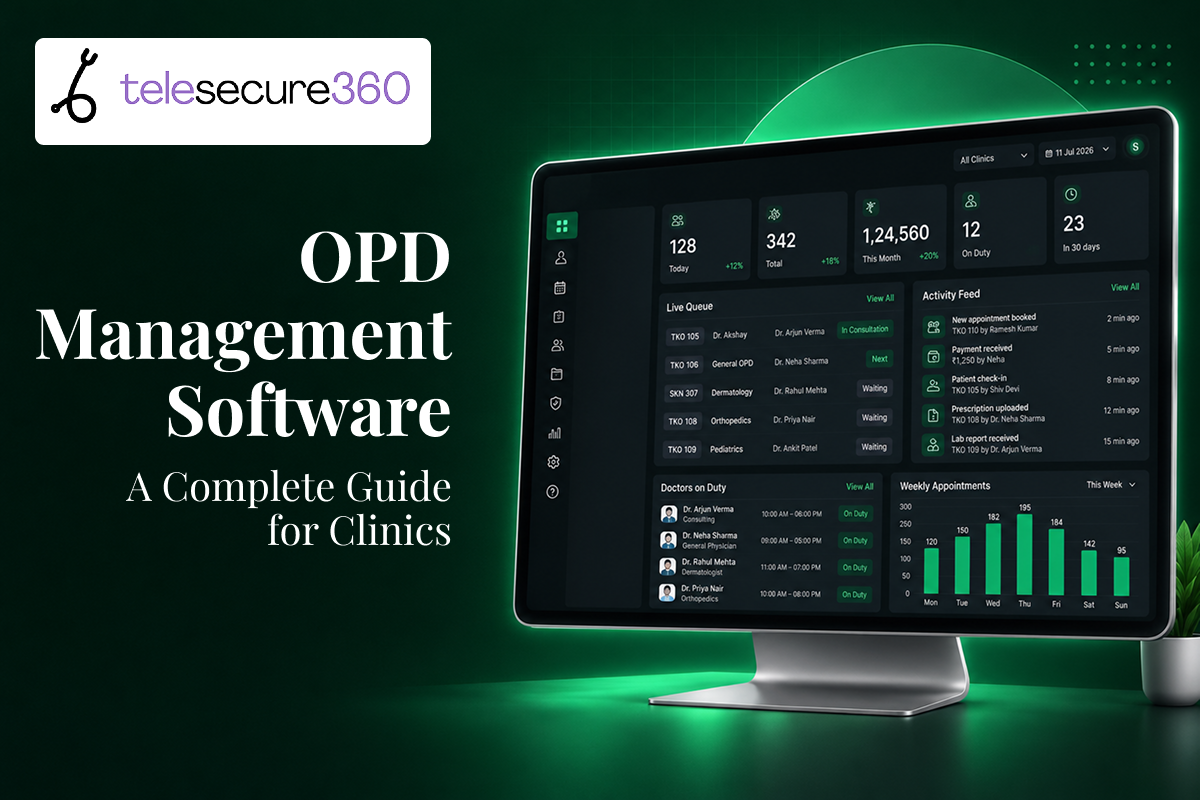
If you run a clinic, you already know what a Monday morning OPD looks like: a packed waiting room, a register full of handwritten entries, and a front desk trying to match today’s patients against yesterday’s paper file. OPD management software replaces that entire manual process with a single digital system that handles registration, scheduling, prescriptions, billing, and follow-up — so your team spends less time hunting for information and more time treating patients. This guide walks through what OPD management software actually does, why it matters for clinics in 2026, and how to choose a platform that fits the way you already work.
What Is OPD Management Software?
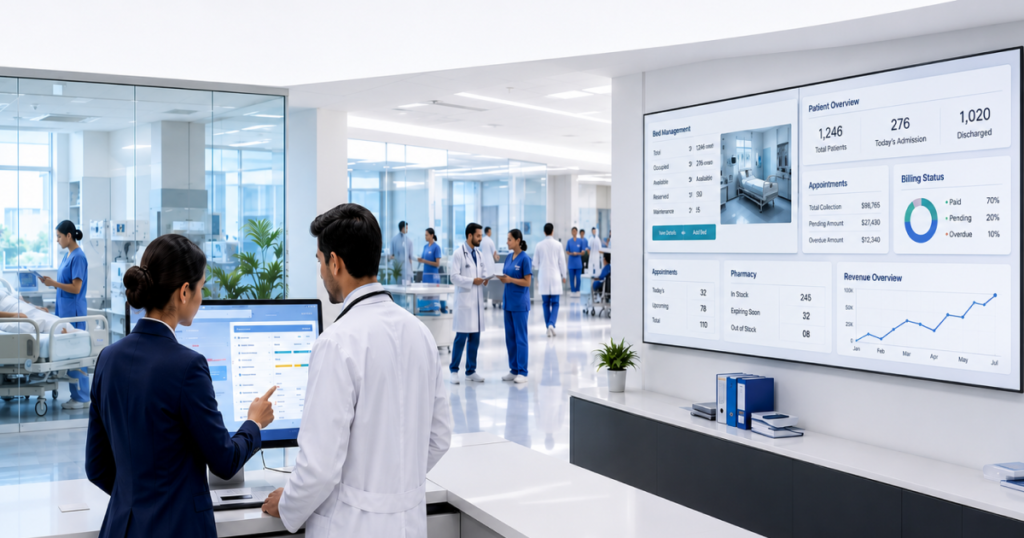
OPD stands for Outpatient Department — the part of a clinic or hospital where patients are seen, treated, and sent home the same day, without being admitted. OPD management software is the digital system that runs everything connected to that visit: booking the appointment, checking the patient in, pulling up their history, writing the prescription, generating the bill, and scheduling the next follow-up.
Instead of five separate tools (a register, a billing ledger, a prescription pad, a spreadsheet for follow-ups, and a phone for reminders), everything lives in one connected record. When a patient walks in for the third time in a year, the doctor isn’t starting from a blank page — they’re looking at a timeline of every visit, test, and prescription that came before it.
The Core Modules Inside an OPD System
Most OPD management platforms are built around a handful of connected modules:
- Patient registration and unique ID — every patient gets one digital record, not a new paper slip each visit
- Appointment and queue management — online booking, token numbers, and real-time wait estimates
- Electronic medical records (EMR) — visit history, diagnoses, allergies, and past prescriptions in one place
- E-prescriptions — digital prescriptions that are legible, timestamped, and easy to reference later
- Billing and payments — auto-generated invoices tied to the consultation and any procedures
- Follow-up and reminder automation — SMS or app notifications for the next visit, a lab report, or a medication refill
- Reporting and analytics — patient volume, no-show rates, and revenue trends the clinic owner can actually use
Some platforms add a telemedicine layer on top of this — letting the same OPD record support both an in-clinic visit and a video consultation, which matters more than ever as patients split their care between physical visits and remote check-ins.
Why OPD Management Software Matters More in 2026
The case for moving off paper isn’t new, but two things have changed the urgency: patients now expect the same digital convenience from their clinic that they get from every other service they use, and India’s national digital health push has made interoperable records a practical expectation rather than a nice-to-have.
The Patient’s Side of the Problem
Ask any patient managing a chronic condition what frustrates them most about outpatient care, and the answers tend to repeat:
- Healthcare providers aren’t reachable in a way that fits around their work or family schedule
- Keeping up with prescription refills, dietary changes, and routine adjustments between visits is genuinely hard to track
- Their healthcare needs extend well beyond what happens inside a clinic visit
- The specialist they need isn’t always available locally
- Discussing symptoms or lab results over WhatsApp or social media isn’t private, secure, or reliable
Patients are also more connected than ever — checking symptoms online, using health-tracking wearables, and asking questions in patient communities. But none of that replaces a real clinician’s judgment. Interpreting personal health data without a healthcare provider involved is risky, and every patient’s situation needs a clinician who actually knows their history to get the diagnosis and treatment right.
The Clinic’s Side of the Problem
For the clinic itself, an unstructured OPD creates the same handful of problems on repeat: long queues because registration and history lookup are manual, prescriptions that are hard to read or track over time, billing errors from disconnected systems, and no simple way to see whether a patient with a chronic condition actually came back for their scheduled follow-up.
A recent hospital-based study across three tertiary care hospitals compared digital OPD registration adoption against conventional paper-based registration among outpatient attendees — the kind of head-to-head comparison that keeps surfacing the same conclusion: digitized OPD workflows consistently outperform paper on speed and error rate, even if patient familiarity with the digital layer still varies.
The market has responded accordingly. Independent software directories now list dozens of OPD platforms serving Indian clinics, and industry trend reports point to remote patient monitoring, telemedicine, interoperability, AI, and wearable technology integration as the direction the OPD software market is moving in. In other words: OPD software in 2026 isn’t just digitizing a register — it’s becoming the bridge between the clinic visit and everything that happens to a patient in between visits.
Key Features to Look for in OPD Management Software
Not every OPD platform is built the same way. If you’re evaluating options for your clinic, these are the features worth prioritizing:
- Fast, simple patient registration — a unique patient ID that doesn’t need to be re-entered at every visit
- Online appointment booking and queue/token management — so patients aren’t standing in a physical line to find out they’re twentieth in the queue
- EMR/EHR with full visit history — searchable, not just stored
- E-prescriptions — ideally with dosage and drug-interaction checks built in
- Integrated billing — invoices generated automatically from the consultation, with insurance or TPA support if relevant
- Automated reminders — appointment confirmations, refill nudges, and follow-up prompts sent without staff manually calling each patient
- Telemedicine/video consultation support — for patients who can’t make it in physically but still need a real conversation with their doctor
- Remote monitoring capability — especially valuable for chronic disease management, where a single visit can’t capture how a patient is doing day to day
- Role-based access and data security — front desk, nurses, and doctors should see only what they need to
- Analytics and reporting — patient volume, revenue, and follow-up adherence, reported in a way a clinic owner (not just an IT team) can use
OPD Management Software vs. Paper-Based OPD Registers
The gap isn’t just convenience — it shows up in real numbers. India’s Scan-and-Share feature, which lets a patient’s details be retrieved via their national digital health ID at the OPD desk, was live across more than 17,000 facilities by late 2024 and reportedly cut OPD wait times from roughly 30–40 minutes down to about 5–10 minutes at the facilities using it. That’s the kind of operational difference OPD software makes when it’s actually integrated into the front-desk workflow, not just installed and left unused.
How OPD Management Software Strengthens Chronic Care Management

Chronic conditions — diabetes, hypertension, thyroid disorders, cardiac care — don’t get managed in a single appointment. They get managed in the gaps between appointments: whether a patient actually took their medication, whether their diet changed, whether a symptom that seemed minor is actually worth a call to the doctor.
This is exactly where a disconnected, visit-only model falls short. A patient’s health data — blood pressure logs, glucose readings, symptoms reported through a wearable — is only useful if a real clinician is interpreting it in the context of that patient’s full history. Without that connection, remote data collection on its own is just noise; with it, the same data becomes an early warning system.
OPD management software with a telemedicine and remote monitoring layer closes that gap by:
- Giving doctors a single timeline that includes both in-clinic visits and remote check-ins
- Making it easy for patients to report symptoms or readings between visits without needing to come in
- Automating follow-up reminders so chronic patients don’t quietly fall off the schedule
- Keeping every interaction — video consult, message, prescription update — tied to one patient record instead of scattered across calls, texts, and paper notes
This is the model TeleSecure360 was built around: putting patient health information at the center of chronic care, not just at the center of a single appointment.
Benefits for Clinic Owners and Healthcare Professionals
For the people running the clinic, the return on OPD management software shows up in a few concrete places:
- Shorter queues, more patients seen per day — registration and history lookup that used to take minutes now takes seconds
- Fewer billing errors — invoices generated directly from the consultation instead of reconstructed afterward
- Better follow-up adherence — automated reminders mean fewer chronic-care patients slipping through the cracks
- A searchable, permanent patient history — no more relying on a patient to remember what was prescribed last time
- Room to extend care beyond clinic hours — through secure messaging or scheduled video consultations, without handing that responsibility to unsecured channels like social media or personal WhatsApp
- Real visibility into the practice — analytics that show patient volume, no-show trends, and revenue at a glance
Benefits for Patients
Patients experience the same shift from a different angle:
- Less time spent waiting — token-based queues and online booking replace standing in line
- Easier access to their own health information — patients can see their own history, test results, and prescriptions instead of relying entirely on the clinic to hold that information
- A real channel to reach their doctor — one that’s private and secure, unlike social media or general messaging apps
- Better support for ongoing conditions — remote monitoring and scheduled check-ins mean chronic care doesn’t stop at the clinic door
- Fewer repeated tests — a complete digital history reduces the need to redo diagnostics a previous provider already ran
How TeleSecure360 Approaches OPD Management
TeleSecure360 was built to give healthcare professionals a Virtual Practice — a secure way to stay reachable to their patients through web and mobile applications, without relying on personal phone numbers or public social platforms. The goal is straightforward: let doctors consult with and monitor their patients online, while putting patient health information at the center of ongoing, chronic care rather than treating each visit as a standalone event.
That means the platform is built around three priorities:
- Encouraging patients to participate in their own healthcare — with direct access to their own health information, not just what a clinic chooses to share
- Keeping communication secure — moving health conversations off informal channels and into a platform actually built for it
- Supporting the full arc of chronic care — not just the appointment, but everything that happens between appointments
How to Choose and Roll Out OPD Management Software
Picking a platform is only half the job — the rollout determines whether your staff actually uses it. Here’s a practical path:
A Five-Step Implementation Path
- Map your current OPD workflow first. Before comparing software, write down exactly how a patient moves through your clinic today — registration, wait, consultation, billing, follow-up. This tells you which features actually matter for your clinic, instead of picking based on a feature list alone.
- Shortlist platforms against your specific bottlenecks. If your biggest problem is queue time, prioritize scheduling and token management. If it’s chronic-care follow-up, prioritize reminders and remote monitoring. Not every clinic needs every module on day one.
- Check integration and compliance requirements. Confirm the platform supports the health data standards relevant to your region and can connect with your existing billing or lab systems rather than replacing them entirely.
- Run a pilot with one department or one doctor. Roll out to a single OPD line before switching the whole clinic. This surfaces workflow issues while the stakes are still low.
- Train front-desk staff before doctors. Front-desk teams touch the system most often — registration, queue management, billing. If they’re comfortable with it, the rest of the rollout goes faster.
Common Implementation Challenges (and How to Avoid Them)
- Staff resistance to changing habits. Paper has been the default for years in many clinics. Address this with hands-on training rather than a one-time demo, and involve front-desk staff in the platform choice, not just doctors.
- Cost concerns for smaller practices. OPD software can be a real expense for smaller clinics, so it’s worth weighing the cost against the specific bottlenecks it solves rather than buying the most feature-heavy option available. Many platforms offer tiered pricing built for solo practitioners and small clinics.
- Downtime or technical glitches. No system is immune to this. Ask any vendor directly what their uptime record looks like and what the fallback process is during an outage.
- Low patient adoption of digital features. Even where digital OPD registration exists, some patients still default to the conventional paper process out of habit or unfamiliarity. Front-desk staff explaining the digital option at the point of registration — rather than expecting patients to opt in on their own — makes a measurable difference in adoption.
- Data migration from paper or legacy systems. Plan for this explicitly. Migrating even a few months of recent patient history (rather than the entire archive) is often enough to make the new system useful from day one.
Frequently Asked Questions
What is OPD management software?
OPD management software is a digital system that manages the outpatient side of a clinic or hospital — patient registration, appointment scheduling, EMR, e-prescriptions, billing, and follow-up reminders — replacing paper registers and manual processes with one connected record per patient.
How is OPD management software different from a hospital management system (HMS)?
OPD software focuses specifically on outpatient workflows — visits where a patient is seen and goes home the same day. A full hospital management system usually also covers inpatient (IPD) admissions, pharmacy, lab, and inventory, with OPD as one module inside a larger platform.
Is OPD management software only for large hospitals?
No. Solo practitioners and small clinics are one of the fastest-growing segments for OPD software, with many platforms offering pricing tiers built specifically for smaller practices rather than large multi-specialty hospitals.
Can OPD management software integrate with telemedicine?
Yes, and increasingly this is the expectation rather than an add-on. A combined platform lets a doctor manage in-clinic visits and video consultations from the same patient record, which matters most for chronic conditions that need ongoing check-ins between physical visits.
Does OPD software help with chronic disease management?
Yes. By keeping a continuous patient record — not just isolated visit notes — OPD software with remote monitoring support makes it easier to track medication adherence, symptom changes, and follow-up schedules for conditions like diabetes or hypertension between appointments.
Is patient data secure in OPD management software?
Reputable OPD platforms use encrypted storage and role-based access, meaning only authorized staff can view specific parts of a patient’s record. This is significantly more secure than paper files or informal channels like social media and personal messaging apps, which aren’t built to protect health information.
How long does it take to implement OPD management software in a clinic?
A single-department pilot can typically go live within a few weeks. A full clinic-wide rollout, including staff training and data migration, more commonly takes one to three months depending on clinic size and how much historical data needs to be migrated.
Conclusion
The clinics that get the most out of OPD management software aren’t the ones with the fanciest platform — they’re the ones that picked software matching their actual bottlenecks and rolled it out with their front-desk team, not around them. Start by mapping your current OPD workflow, identify where patients and staff are losing the most time, and shortlist platforms against those specific gaps rather than a generic feature list.
If your clinic is managing patients with ongoing, chronic conditions, prioritize a platform that connects in-clinic visits with remote monitoring and secure messaging — because the appointment is only one part of managing that patient’s health, and the gaps in between are where OPD software makes the biggest difference.
